Podcast Studio vs. Remote: Which Setup Saves You Money?
In-person or remote podcasting? Uncover the true costs with our detailed breakdown and calculator. Make the right choice!
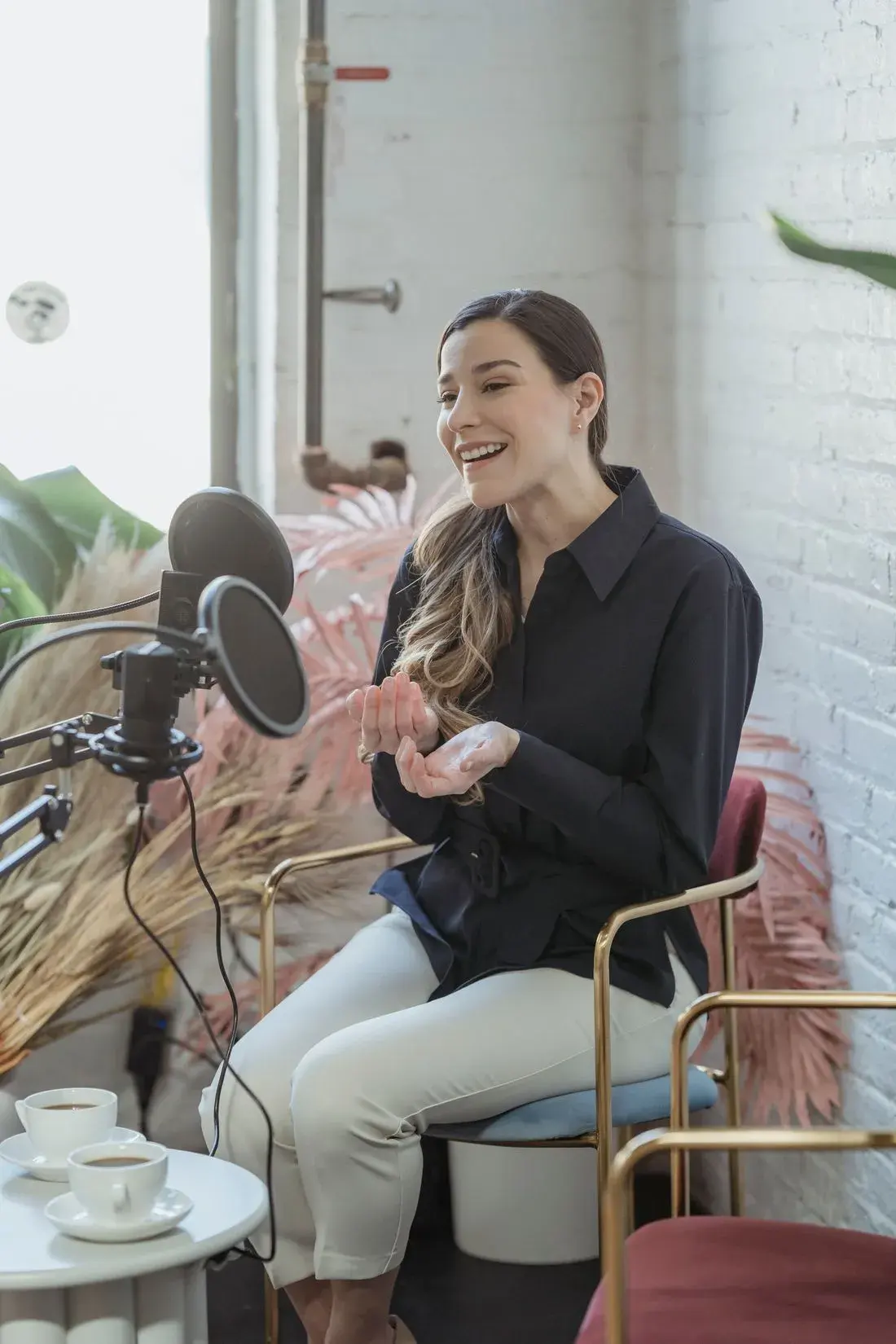
Podcasting has exploded in popularity. Whether you’re aiming to become the next Joe Rogan or simply want to share your expertise with the world, one of the first big decisions you’ll face is whether to invest in an in-person podcast studio or embrace the flexibility of remote recording. This article dives deep into the financial implications of each approach, providing a comprehensive cost breakdown and a framework to help you determine the most cost-effective option for your specific needs.
The Allure and Costs of an In-Person Podcast Studio
An in-person studio offers control. Control over the environment, the equipment, and the overall recording experience. It’s the traditional approach, and many believe it leads to higher-quality audio and a more professional image. But that professionalism comes at a price. Let’s break down the key costs associated with setting up and maintaining a physical studio.
Rent/Mortgage: The Foundation of Your Studio
This is often the most significant expense. Location matters. A studio in a bustling downtown area will command a premium compared to one in an industrial park. Consider:
- Location: Urban vs. Suburban vs. Rural. Accessibility for guests is critical.
- Size: How much space do you really need? A small, soundproofed room might suffice if you’re only hosting one or two guests. Larger setups demand more square footage.
- Condition: Raw space will require significant build-out, including soundproofing, electrical work, and potentially plumbing (if you want a bathroom or kitchenette).
Real-World Scenario: I once advised a client who leased a beautiful, spacious studio in a trendy arts district. The rent was exorbitant, and they struggled to cover it, ultimately impacting their marketing budget and podcast production frequency. They would have been better off starting smaller, perhaps in a less desirable (but more affordable) location. Think long-term growth potential, not immediate prestige.
Equipment: Microphones, Mixers, and More
Quality audio is non-negotiable. Your equipment investment will depend on your desired level of sophistication, but here’s a general overview:
- Microphones: Expect to spend $100-$500+ per microphone, depending on the type (dynamic vs. condenser) and brand. Rode, Shure, and Audio-Technica are popular choices.
- Mixer: A good mixer is crucial for controlling audio levels and routing signals. Prices range from $150 for a basic USB mixer to several thousand dollars for a professional-grade console.
- Headphones: Closed-back headphones are essential for preventing audio bleed. Budget $50-$200 per pair.
- Audio Interface: Converts analog audio signals to digital for recording on your computer. Expect to pay $100-$500.
- Recording Software (DAW): Audacity (free), Adobe Audition (subscription), and Pro Tools (subscription or purchase) are common options.
- Cables and Stands: Don’t underestimate these essentials. Quality XLR cables and sturdy microphone stands are a must.
- Acoustic Treatment: Foam panels, bass traps, and diffusers are crucial for minimizing echo and reverberation. This can range from a few hundred dollars for DIY solutions to several thousand for professional installation.
Practical Application: Before splurging on the most expensive microphone, experiment with different types. Dynamic microphones are often better for recording in less-than-ideal acoustic environments, while condenser microphones excel in controlled studio settings. Borrow equipment from friends or rent before committing to a purchase.
Maintenance: Keeping Things Running Smoothly
Equipment breaks down. Software needs updates. Your studio requires ongoing maintenance.
- Equipment Repairs: Microphones can fail, cables can fray, and software can glitch. Factor in repair costs or extended warranties.
- Software Updates: DAWs often require regular updates, which may come with subscription fees or upgrade costs.
- Cleaning Supplies: A clean studio is a professional studio. Budget for cleaning supplies and potentially a cleaning service.
Utilities: Powering Your Creative Space
Electricity, internet, and potentially heating/cooling are ongoing expenses.
- Electricity: Running equipment, lights, and potentially HVAC systems can significantly impact your electricity bill.
- Internet: A reliable, high-speed internet connection is essential for uploading podcasts and potentially for remote guests.
- Heating/Cooling: Maintaining a comfortable temperature for you and your guests is important, especially in extreme climates.
Insurance: Protecting Your Investment
Liability and property insurance are crucial for protecting your studio from unforeseen events.
Key Insight: Insurance is often overlooked in initial budget planning. A simple accident involving a guest could result in significant financial liability if you’re uninsured.
The Rise of Remote Podcasting: Flexibility and Cost Savings
Remote podcasting has become increasingly popular, offering a flexible and often more cost-effective alternative to traditional in-person studios. Technology has advanced to the point where you can achieve near-studio-quality audio from the comfort of your own home (or anywhere else!). Let’s examine the costs associated with remote podcasting.
Software Subscriptions: Connecting and Recording Remotely
Several platforms facilitate remote recording, each with its own pricing structure.
- Riverside.fm: Popular for its high-quality audio and video recording capabilities. Subscriptions range from free (with limitations) to professional plans.
- SquadCast: Another excellent option for remote recording, offering features like automatic audio leveling and separate audio tracks for each guest. Plans start at around $20/month.
- Zoom/Skype (with recording software): While primarily video conferencing tools, Zoom and Skype can be used for podcasting with the addition of recording software like Audacity or OBS Studio. The audio quality may not be as high as dedicated podcasting platforms.
Experience-Based Insight: I’ve found that investing in a platform like Riverside.fm or SquadCast is worth the cost, particularly if audio quality is a top priority. The ease of use and reliability of these platforms significantly reduce the risk of technical glitches during recording sessions.
Remote Equipment Stipends for Guests: Ensuring Quality Audio
The biggest challenge of remote podcasting is controlling the audio quality of your guests. Providing stipends or suggesting specific equipment can help.
- Microphone Recommendations: Suggest affordable USB microphones like the Blue Yeti or Samson Q2U. Providing links to purchase these mics can be helpful.
- Headphones: Recommend closed-back headphones to minimize audio bleed.
- Software Tutorials: Create simple tutorials on how to set up their microphones and headphones properly.
Business Challenge and Solution: I worked with a client who had inconsistent audio quality from their remote guests. We implemented a system where they provided a small stipend ($50-$100) to each guest to purchase a recommended USB microphone. The improvement in audio quality was dramatic and well worth the investment.
Internet Upgrades: Bandwidth is Key
A stable, high-speed internet connection is essential for remote recording.
- Upload Speed: Ensure you have sufficient upload speed to handle real-time audio and video transmission.
- Wired Connection: A wired Ethernet connection is generally more reliable than Wi-Fi.
Practical Value: Run an internet speed test (e.g., using Speedtest.net) to determine your current upload speed. If it’s consistently below 10 Mbps, consider upgrading your internet plan.
Quiet Space: Minimizing Background Noise
While not a direct cost, ensuring a quiet recording environment for both you and your guests is crucial.
- Dedicated Room: Ideally, use a room with minimal background noise.
- Soundproofing: Simple measures like closing windows and doors, hanging blankets, or using acoustic panels can help.
Cost Comparison: In-Person vs. Remote – A Detailed Breakdown
Let’s put it all together and compare the estimated costs of each approach. This is a general guideline, and your actual expenses may vary depending on your specific circumstances.
In-Person Podcast Studio: Estimated Costs
Expense
Estimated Cost (Monthly)
Notes
Rent/Mortgage
$500 – $5,000+
Varies greatly by location and size.
Equipment (Upfront)
$2,000 – $10,000+
Microphones, mixer, headphones, audio interface, etc. (one-time cost, amortized over time)
Equipment (Monthly Amortization)
$50 – $250
Assumes equipment is amortized over 3-5 years.
Maintenance
$50 – $200
Repairs, software updates, cleaning.
Utilities
$100 – $500
Electricity, internet, heating/cooling.
Insurance
$50 – $200
Liability and property insurance.
Total Estimated Monthly Cost
$750 – $6,150+
Remote Podcasting: Estimated Costs
Expense
Estimated Cost (Monthly)
Notes
Software Subscription (Riverside.fm, SquadCast)
$20 – $50+
Depending on features and usage.
Remote Equipment Stipends (per episode)
$0 – $100+
Optional, but recommended for improved audio quality. Depends on the number of guests per month.
Internet Upgrade
$0 – $50
If needed to improve upload speed. (could be an upfront or monthly cost if you upgrade your plan)
Equipment (Upfront)
$200 – $1,000
Good quality USB microphone, headphones, and pop filter (one-time cost, amortized over time)
Equipment (Monthly Amortization)
$5 – $25
Assumes equipment is amortized over 3-5 years.
Total Estimated Monthly Cost
$25 – $225+ (plus equipment stipend per episode)
Key Takeaway: Remote podcasting is generally significantly cheaper than maintaining an in-person studio. However, the cost savings come with trade-offs in terms of control over the recording environment and potentially audio quality (if you don’t manage guest setups effectively).
Podcast Cost Calculator: Find the Right Setup for Your Needs
To help you make a more informed decision, here’s a simplified framework to calculate the estimated monthly cost of each option. This isn’t a perfect model, but it will give you a starting point. Fill in the blanks with your estimated values.
In-Person Studio Cost Calculator
- Rent/Mortgage: $_____
- Equipment Amortization (Monthly): $_____
- Maintenance: $_____
- Utilities: $_____
- Insurance: $_____
- Total Estimated Monthly Cost: $_____ (Sum of lines 1-5)
Remote Podcasting Cost Calculator
- Software Subscription: $_____
- Average Equipment Stipend per Episode: $_____
- Number of Episodes per Month: $_____
- Monthly Equipment Stipend Cost: $_____ (Line 2 * Line 3)
- Internet Upgrade (if applicable): $_____
- Equipment Amortization (Monthly): $_____
- Total Estimated Monthly Cost: $_____ (Sum of lines 1, 4, 5, and 6)
When Does an In-Person Studio Make Sense?
Despite the higher costs, an in-person studio can be a worthwhile investment in certain situations:
- High Production Volume: If you’re recording multiple episodes per week, the efficiency of an in-person studio may outweigh the cost.
- Consistent Guest List: If you primarily interview local guests who can easily visit your studio, the convenience and control of an in-person setup can be beneficial.
- Brand Image: A professionally designed studio can enhance your brand image and attract high-profile guests.
- Creative Control: You have complete control over the recording environment, ensuring consistent audio quality and minimizing distractions.
- Community Building: A physical studio can serve as a hub for your podcasting community, hosting events and workshops.
Example: A podcast focused on local business leaders might benefit significantly from an in-person studio located in a central business district. The studio could become a gathering place for the community, fostering networking opportunities and enhancing the podcast’s reputation.
When is Remote Podcasting the Better Choice?
Remote podcasting is often the preferred option for:
- Budget Constraints: If you’re on a tight budget, remote podcasting offers a significantly more affordable way to get started.
- Geographically Diverse Guests: Remote podcasting allows you to interview guests from anywhere in the world, expanding your reach and bringing diverse perspectives to your audience.
- Flexibility and Convenience: You can record podcasts from anywhere with an internet connection, offering greater flexibility and convenience.
- Minimal Upfront Investment: The initial investment in equipment and software is relatively low compared to setting up an in-person studio.
Making the Right Decision for Your Podcast
Ultimately, the best choice between an in-person podcast studio and remote podcasting depends on your individual circumstances, budget, and goals. Consider the following factors:
- Budget: How much can you realistically afford to spend each month?
- Guest Location: Are your guests primarily local or geographically dispersed?
- Production Volume: How many episodes do you plan to record each month?
- Audio Quality Requirements: How critical is professional-grade audio quality to your podcast?
- Brand Image: How important is a physical studio to your brand identity?
- Long-Term Goals: What are your long-term goals for your podcast? Do you envision eventually transitioning to an in-person studio?
Final Thought: Don’t be afraid to start small and experiment. You can always start with remote podcasting and gradually invest in more equipment and resources as your podcast grows. The most important thing is to start creating content and connecting with your audience. The tools will follow. Building a loyal listenership is more important than the perfect studio setup, especially in the beginning.
This article was optimized and published by Content Hurricane.
Ready to build the real thing?
When you're ready for a done-for-you studio, book a discovery call and we'll map a build that fits your space.