
Home Studio for Pro Videos: Showcase Your Expertise
Build authority with a home studio! Create expert videos to showcase skills & become a thought leader.
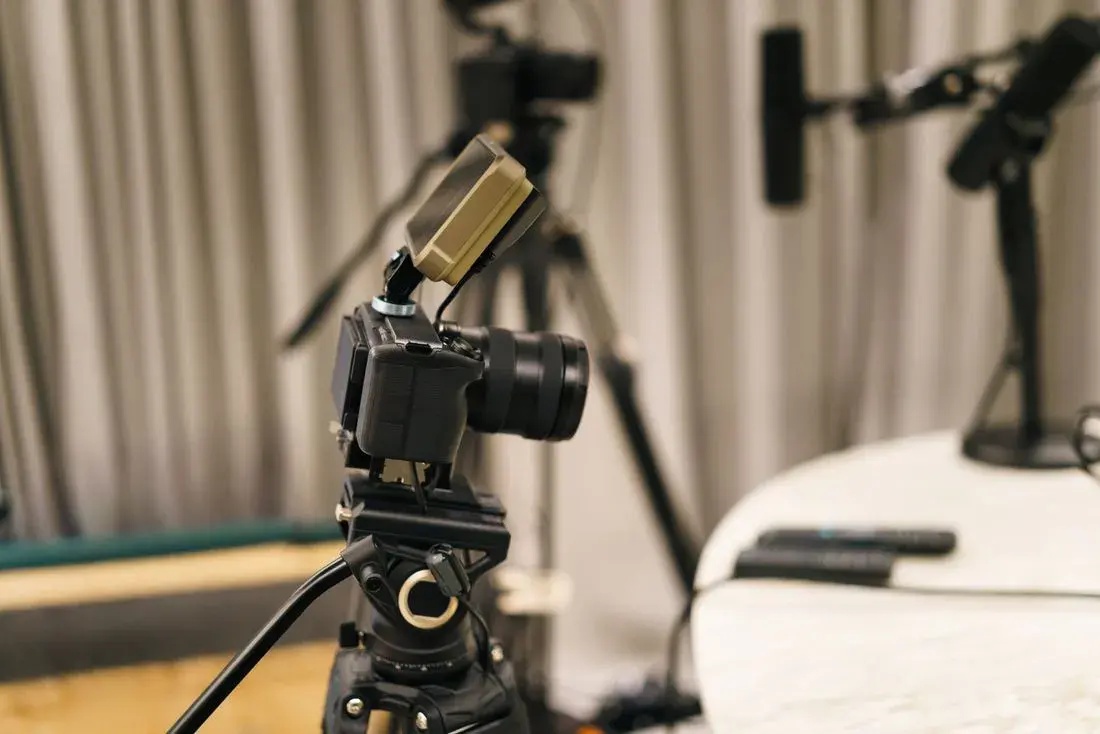
In today’s digital landscape, video content reigns supreme. For professionals looking to establish themselves as thought leaders, showcase their skills, and build unwavering confidence, a well-equipped home studio is no longer a luxury – it’s a necessity. This guide delves into how a home studio can empower you to create expert-level video content, covering everything from equipment choices and production techniques to content strategies that position you as an authority in your field.
Why a Home Studio is Essential for Building Authority and Confidence
Building authority and confidence online requires consistent, high-quality content. While outsourcing video production can be an option, a home studio offers unparalleled control, flexibility, and cost-effectiveness. This control allows you to fine-tune your message, experiment with different formats, and maintain a consistent brand voice across all your videos. The iterative process of creating videos in your own space, analyzing performance, and improving your techniques will significantly boost your confidence and allow you to establish yourself as a true expert.
- Control and Flexibility: Create content on your own schedule, without relying on external agencies.
- Cost-Effectiveness: Reduce or eliminate ongoing production costs, especially for frequent content creation.
- Brand Consistency: Maintain a consistent look and feel across all your videos, reinforcing your brand identity.
- Rapid Iteration: Quickly experiment with different video formats and content strategies based on performance data.
- Confidence Building: Overcome the fear of being on camera and hone your presentation skills through practice.
For example, a financial advisor who regularly shares market insights on YouTube can establish more trust with potential clients by producing high-quality, informative videos from their own studio, rather than relying on sporadic, outsourced content. This consistent presence and quality contribute significantly to their perceived expertise and ultimately, their business success.
Essential Equipment for Your Home Video Studio
Setting up a home studio doesn’t require a massive investment. The key is to prioritize essential equipment that delivers high-quality results without breaking the bank. Here’s a breakdown of the core components:
Camera: Capturing High-Quality Video
The camera is the most critical component. While your smartphone might suffice for basic videos, investing in a dedicated camera significantly improves the visual quality. Options include:
- Webcams: Excellent for online meetings and basic recording. Look for models with 1080p resolution and good low-light performance. Logitech’s Brio is a popular choice (though older, it remains a solid performer), and newer models like the Dell UltraSharp Webcam offer advanced features.
- Mirrorless Cameras: Offer exceptional image quality, versatility, and interchangeable lenses. Sony’s Alpha series (e.g., A6400, A7C) and Canon’s EOS M series are excellent choices. Check reviews on sites like DPReview for in-depth camera comparisons.
- DSLR Cameras: Similar to mirrorless cameras, but with a traditional mirror mechanism. They offer great image quality and a wide range of lenses.
- Camcorders: Designed specifically for video recording, offering features like optical zoom and image stabilization.
Consider factors like resolution (at least 1080p), frame rate (30fps or 60fps for smoother motion), and low-light performance when choosing a camera.
Audio: Crystal-Clear Sound is Paramount
Poor audio can ruin even the best video. Invest in a good microphone to ensure clear and professional sound.
- USB Microphones: Easy to set up and use, ideal for beginners. Blue Yeti and Rode NT-USB+ are popular choices.
- Lavalier Microphones (Lapel Mics): Discreet and provide consistent audio quality, especially for interviews and presentations. Rode SmartLav+ and Audio-Technica ATR3350iS are good options.
- Shotgun Microphones: Highly directional, ideal for isolating sound in noisy environments. Rode VideoMic and Sennheiser MKE 600 are excellent choices for mounting on a camera or boom pole.
Always use a pop filter and shock mount with your microphone to reduce plosives and vibrations.
Lighting: Illuminating Your Expertise
Proper lighting is crucial for creating visually appealing videos. Good lighting can make you look more professional and engaging.
- Key Light: The main light source, positioned slightly to one side of the camera.
- Fill Light: Softens shadows created by the key light, placed on the opposite side.
- Back Light (Hair Light): Separates you from the background, adding depth and dimension.
Popular lighting options include:
- Softboxes: Diffuse the light, creating a soft and flattering look.
- Ring Lights: Provide even illumination and create a distinctive catchlight in the eyes.
- LED Panels: Versatile and energy-efficient, offering adjustable brightness and color temperature.
Consider a three-point lighting setup for optimal results. Resources like Canon’s guide to three-point lighting offer valuable insights.
Background: Creating a Professional Environment
Your background should be clean, uncluttered, and relevant to your brand. Options include:
- Plain Wall: Simple and effective, especially if painted in a neutral color.
- Bookshelf: Conveys knowledge and expertise.
- Green Screen: Allows you to replace the background with digital images or videos.
- Pop-Up Background: Portable and easy to set up, ideal for small spaces.
Ensure your background is well-lit and free of distractions. Avoid overly busy or cluttered backgrounds that can detract from your message.
Tripod: Ensuring Stability
A sturdy tripod is essential for capturing smooth, stable footage. Choose a tripod that can support the weight of your camera and offers adjustable height and pan/tilt features.
Video Editing Software: Polishing Your Content
Video editing software allows you to refine your footage, add graphics, and create a polished final product. Popular options include:
- Adobe Premiere Pro: Industry-standard software with a wide range of features (paid subscription).
- Final Cut Pro: Powerful video editing software for Mac users (one-time purchase).
- DaVinci Resolve: A free (with paid upgrade option) powerful video editor with advanced color correction tools.
- iMovie: A free, user-friendly video editor for Mac and iOS devices.
- Filmora: A user friendly editor with great results.
Start with a basic editor and gradually learn more advanced features as your skills develop.
Mastering Video Production Techniques for Expert-Level Content
Having the right equipment is only half the battle. Mastering video production techniques is crucial for creating engaging and professional content.
Scripting and Storyboarding: Planning Your Video
Before you start recording, create a script or storyboard to outline your video. This helps you stay on track, deliver a clear message, and ensure a smooth flow.
- Script: Write out the exact words you want to say, including introductions, transitions, and calls to action.
- Storyboard: Create visual representations of each scene, including camera angles, lighting, and background elements.
A well-planned video saves time and effort in the editing process.
Camera Angles and Composition: Visual Storytelling
Use different camera angles and composition techniques to create visually interesting videos.
- Eye-Level Shot: Creates a connection with the viewer.
- Close-Up Shot: Emphasizes emotions and details.
- Wide Shot: Shows the environment and context.
- Rule of Thirds: Divides the frame into nine equal parts and places key elements along the lines or intersections.
Experiment with different angles and compositions to find what works best for your style and content.
Lighting Techniques: Creating Mood and Depth
Use lighting to create mood, depth, and visual interest.
- Three-Point Lighting: Creates a balanced and professional look.
- Natural Light: Can be used effectively, but requires careful planning and control.
- Color Temperature: Adjust the color temperature of your lights to match the environment and create a desired mood.
Pay attention to shadows and highlights to create a visually appealing image.
Audio Techniques: Ensuring Clear and Professional Sound
Record audio separately from video whenever possible to improve quality.
- Use a good microphone: As mentioned earlier, invest in a quality microphone for clear and professional sound.
- Monitor your audio levels: Ensure your audio levels are consistent and not too loud or too quiet.
- Reduce background noise: Record in a quiet environment to minimize distractions.
- Use audio editing software: Clean up your audio by removing noise, adjusting levels, and adding effects.
Good audio is essential for keeping viewers engaged.
Editing Techniques: Polishing Your Video
Use video editing software to refine your footage, add graphics, and create a polished final product.
- Cut out unnecessary footage: Keep your videos concise and engaging by removing unnecessary pauses and repetitions.
- Add transitions: Use smooth transitions between scenes to create a seamless flow.
- Add graphics and text: Enhance your videos with graphics, text, and animations to convey information and add visual interest.
- Color correct and grade your footage: Adjust the colors and contrast of your footage to create a consistent and visually appealing look.
- Add music and sound effects: Enhance your videos with music and sound effects to create a desired mood and add impact. Consider using royalty-free music from services like Epidemic Sound.
Learn the basics of video editing and gradually master more advanced techniques.
Content Strategies for Positioning Yourself as a Thought Leader
Creating high-quality video content is essential, but it’s equally important to have a content strategy that positions you as a thought leader in your field. This involves identifying your target audience, understanding their needs and interests, and creating content that provides value and insights.
Identify Your Target Audience and Their Needs
Who are you trying to reach? What are their pain points, questions, and interests? Understanding your target audience is crucial for creating content that resonates with them.
- Conduct market research: Use surveys, interviews, and online research to gather information about your target audience.
- Create buyer personas: Develop detailed profiles of your ideal customers, including their demographics, interests, and motivations.
- Analyze your competitors: See what content your competitors are creating and how they are engaging with their audience.
The more you know about your target audience, the better you can tailor your content to their needs.
Create Valuable and Informative Content
Your video content should provide value to your target audience by offering insights, solutions, and actionable advice. Focus on creating content that is:
- Informative: Share your knowledge and expertise on topics that are relevant to your audience.
- Educational: Teach your audience something new or help them solve a problem.
- Entertaining: Make your videos engaging and enjoyable to watch.
- Actionable: Provide your audience with clear steps they can take to achieve their goals.
Avoid creating content that is purely self-promotional or sales-oriented. Focus on providing value first, and the sales will follow.
Choose the Right Video Formats
Experiment with different video formats to find what resonates best with your audience.
- Tutorials: Demonstrate how to do something step-by-step.
- Interviews: Interview industry experts or thought leaders.
- Case Studies: Showcase successful examples of your work or the work of others.
- Webinars: Host live or recorded webinars on topics of interest to your audience.
- Vlogs: Share your thoughts and experiences in a personal and engaging way.
Consider creating a mix of different video formats to keep your audience engaged.
Optimize Your Videos for Search Engines
Optimize your videos for search engines to increase their visibility and reach.
- Use relevant keywords in your titles and descriptions: Research keywords that your target audience is searching for and include them in your video titles and descriptions.
- Create compelling thumbnails: Use eye-catching thumbnails that accurately represent the content of your videos.
- Add tags to your videos: Use relevant tags to help YouTube and other search engines understand what your videos are about.
- Promote your videos on social media: Share your videos on social media platforms to reach a wider audience.
SEO is essential for driving traffic to your videos and building your online presence. Resources like YouTube’s official guide to SEO can provide valuable insights.
Engage with Your Audience
Respond to comments, answer questions, and encourage interaction to build a community around your videos.
- Respond to comments: Acknowledge and respond to comments from your viewers.
- Ask questions: Encourage viewers to share their thoughts and opinions.
- Run polls and contests: Engage your audience with interactive activities.
- Create a community: Foster a sense of belonging and connection among your viewers.
Building a strong community can help you establish yourself as a trusted authority in your field. Consider tools that streamline community management as your following grows – many platforms offer social listening features that help stay on top of engagement.
Building Confidence Through Consistent Video Creation
One of the most significant benefits of having a home studio is the opportunity to build confidence. The more you practice, the more comfortable you’ll become on camera and the more polished your presentations will be.
Practice Regularly
Record yourself speaking on camera, even if you don’t plan to publish the videos. This will help you identify areas for improvement and become more comfortable with your on-camera presence.
Embrace Imperfection
Don’t strive for perfection. Everyone makes mistakes. The key is to learn from them and keep improving.
Focus on Providing Value
Instead of worrying about how you look or sound, focus on providing valuable information to your audience. This will help you relax and be more authentic.
Seek Feedback
Ask trusted friends, family members, or colleagues to watch your videos and provide constructive feedback. This can help you identify blind spots and improve your presentation skills.
Celebrate Your Progress
Acknowledge and celebrate your progress, no matter how small. This will help you stay motivated and continue to improve.
Building authority and fast-tracking confidence through video creation is an ongoing process. With dedication, practice, and the right tools, you can establish yourself as a thought leader in your field and achieve your professional goals. As you become more comfortable with video production, you may even discover opportunities to offer your expertise to others, helping them create compelling content for their own businesses.
Ready to build the real thing?
When you're ready for a done-for-you studio, book a discovery call and we'll map a build that fits your space.